Key Takeaways
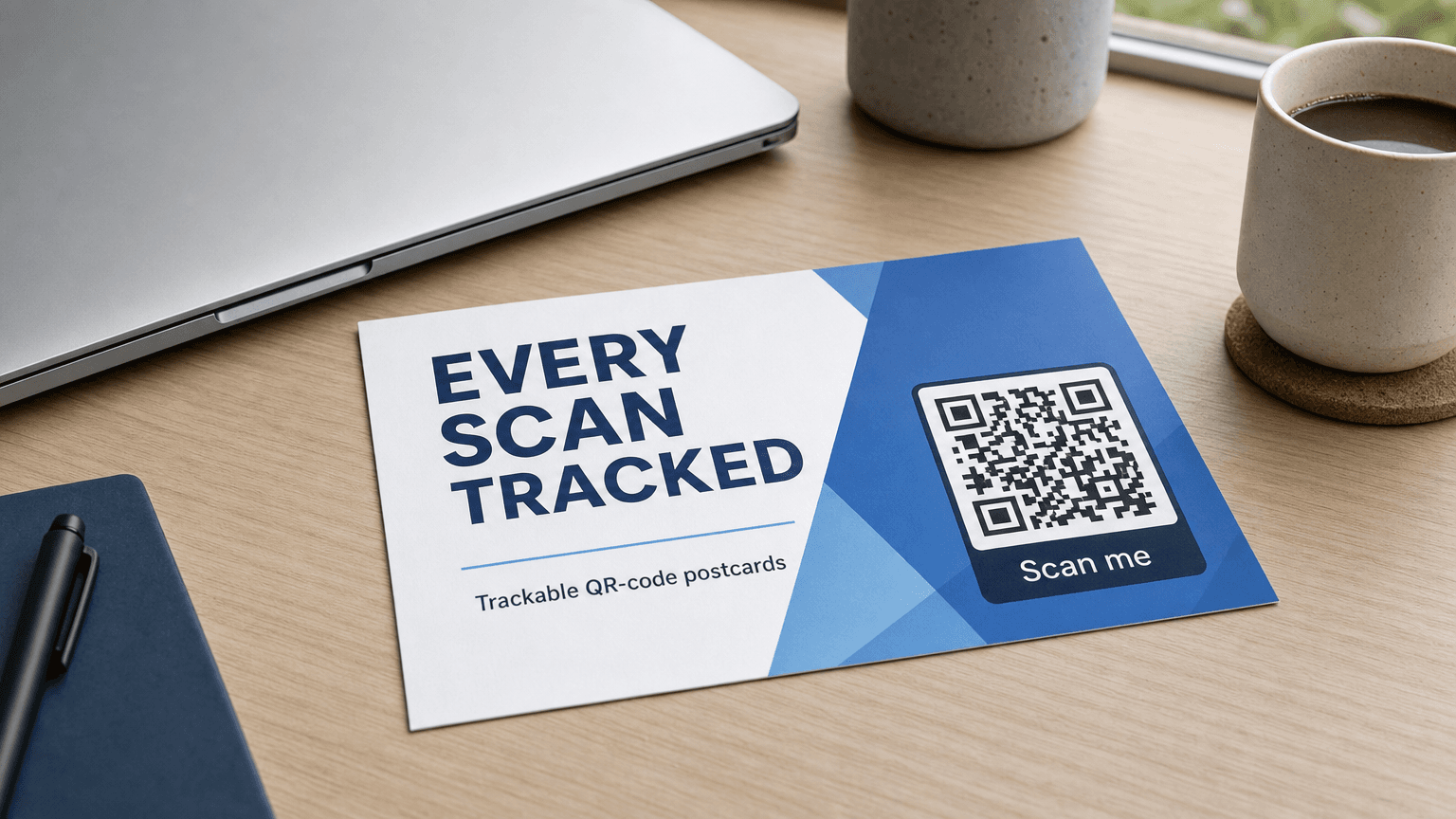
- A QR code turns a postcard into a measurable channel by creating a physical-to-digital bridge that logs every scan as a data point.
- Link your QR code to a booking page, menu, or dedicated landing page that matches the postcard offer, not your homepage.
- Add UTM parameters to your destination URL before generating the code so scans appear as a distinct traffic source in your analytics platform.
- Print the code at a minimum 2 cm x 2 cm, maintain strong contrast, leave a quiet zone on all sides, and always add a short action label.
- Pairing postcard scans with retargeting audiences, lookalike campaigns, or email sequences multiplies the effect of each physical send.
- Magic Mailer includes a branded trackable QR code on every postcard, plus smart local targeting, design generation, printing, and delivery from CA$1.53 per piece.
Direct mail has always had a measurement problem. You send 500 postcards, a few customers walk in, and you have no reliable way to connect one to the other. QR codes change that equation. They create a physical-to-digital bridge that lets you count scans, track timing, and follow a recipient all the way through to a booking, a purchase, or a form submission.
According to Lob's 2025 State of Direct Mail report, 90% of marketers say direct mail enhances their digital results, and 79% of top performers use it as part of a multichannel strategy. The QR code is the mechanism that makes multichannel more than a talking point.
Ready to Send Your First Campaign?
Magic Mailer uses AI to design, print, and mail professional postcards for your business in minutes, not weeks.
Try Magic Mailer FreeWant it set up in your CRM for you? book a meeting
Prefer to just describe it? build your whole campaign in one chat
Why a QR Code Turns a Postcard Into a Measurable Channel
A QR code is the bridge between a physical postcard and a trackable digital action. Without it, direct mail sits outside your analytics stack; with it, every scan becomes a data point tied to a specific send, date, and audience segment. The moment someone scans your code, you know the postcard worked well enough to earn a second look.
Traditional response tracking relied on unique phone numbers or coupon codes, both of which add friction. A QR code removes that friction: the recipient points a phone camera, taps the notification, and lands on your chosen destination in seconds. That action is logged automatically.
The ANA's 2023 Response Rate Report puts average direct mail response rates at 5.3% for house lists and 2.9% for prospect lists. When you add a QR code and a compelling call to action, those responses become attributable rather than estimated.
Where to Point Your QR Code (and Where Not To)
The destination you choose determines whether a scan converts or bounces. The right landing page captures intent at its peak; the wrong one wastes it.
Book or buy pages work best. If you run a restaurant, link to your reservation widget. If you offer a service, link to a booking form or a quote page. If you are running a limited promotion, link to a dedicated landing page that mirrors the offer on the postcard. The message on the card and the message on the screen should match closely enough that the recipient feels they landed in the right place.
Menus are a strong second choice for hospitality businesses. A clean, mobile-optimised menu that loads in under two seconds gives the recipient immediate value and keeps your brand top of mind.
Avoid your homepage. A homepage is designed for exploration. A postcard recipient has a specific reason to scan, and a homepage forces them to figure out where to go next. That extra decision is often where you lose them.
| Destination | Best for | Risk |
|---|---|---|
| Booking or quote page | Services, appointments | Low, high intent match |
| Dedicated landing page | Promotions, product launches | Low, message match is direct |
| Online menu | Restaurants, cafes | Low, immediate value |
| Product category page | Retail | Medium, still requires a next click |
| Homepage | General awareness | High, too much choice, intent mismatch |
QR Code Design Best Practices
A QR code that nobody scans is only decoration. Size, contrast, quiet zone, and labelling all affect whether a code is readable in the real world.
Size: Print your QR code at a minimum of 2 cm x 2 cm (about 0.8 inches square). Smaller than that and many phone cameras struggle to read it, especially under bright light or at arm's length. On a standard 4x6 postcard, a 4 to 5 cm code is a good target.
Contrast: Dark module on a light background is the safest combination. If your brand palette includes a deep colour, use it for the code against a white or cream background. Avoid placing a code over a photograph or a gradient.
Quiet zone: Leave a margin of at least four module widths (the width of one of the small squares in the code grid) clear on all four sides. Crowding the code with text or imagery is the most common reason codes fail to scan.
Label: Always add a short line of text below or beside the code. Something like "Scan to book your table" or "Scan for your exclusive offer" removes ambiguity. Recipients who have never used a QR code before will know what to do, and those who have will scan faster because the action is clear.
Brand colours: Most QR code generators allow you to replace the default black with a brand colour, provided contrast is maintained. A branded code looks intentional rather than tacked on, and it reinforces recognition when the recipient sees the same colour on your landing page.
How to Tag Your Destination for Analytics
A QR code tells you that a scan happened. A UTM-tagged URL tells you what the scan led to. These two pieces of information together give you a complete picture.
Append UTM parameters to every destination URL before you generate the QR code. A typical structure uses utm_source set to "postcard", utm_medium set to "direct-mail", utm_campaign set to the name of the send such as "june-neighbourhood-drop", and utm_content to label the scan or A/B test variant.
- utm_source identifies the channel: postcard
- utm_medium groups it with other offline channels: direct-mail
- utm_campaign names the specific send: june-neighbourhood-drop
- utm_content lets you A/B test two versions of a card: qr-scan versus qr-scan-v2
With these tags in place, Google Analytics (or any analytics platform) will show you exactly how many sessions, goals, and conversions came from that postcard campaign, broken out from your other traffic sources.
Reading Your Results: Scans, Timing, and Conversions
Once your campaign is live, three metrics tell most of the story: scan rate, scan timing, and downstream conversions.
Scan rate is the number of unique scans divided by the number of pieces delivered. A benchmark for a well-targeted neighbourhood drop sits in the 2 to 5% range, which aligns with the ANA's 2023 response rate data. House lists (existing customers) tend to scan at the higher end; cold prospect drops tend to sit lower.
Scan timing shows you when recipients engage. Most responses to a direct mail piece arrive within the first 48 to 72 hours of delivery. A second smaller wave often follows about a week later, when people sort through accumulated mail. If you can see your scan timestamps, you can time a follow-up digital ad to appear in the days immediately after delivery.
Conversions are the metric that matters most. In your analytics platform, set up a goal for the action you care about: a booking confirmation, a form submission, an order completion. Then attribute that goal to the UTM source you set in the previous step. Now you have a cost-per-acquisition you can compare directly to your paid digital channels.
USPS OIG and Temple University research shows that physical mail generates stronger recall than digital-only messages, which means a recipient who does not scan immediately may still remember your brand and convert later through another channel. Attribution modelling helps capture that delayed effect.
Pairing QR Code Postcards With Your Digital Channels
Direct mail and digital advertising are most effective when they work together rather than in parallel. The 90% of marketers who told Lob in 2025 that direct mail enhances their digital results are not running two separate campaigns; they are running one campaign across two surfaces.
Here are three practical pairings:
Retargeting: Anyone who scans your QR code and visits your landing page can be added to a retargeting audience. They saw the physical card, they were curious enough to scan, and now a follow-up ad on social media or search reinforces the message. This combination treats the postcard as the introduction and digital as the close.
Lookalike audiences: If you mail to a specific neighbourhood or business type, export that audience profile and build a lookalike audience in your paid social campaigns. Mail and digital hit similar people on different days and through different surfaces, compounding recall.
Email sequences: If your QR code links to a form that captures an email address, that scan triggers an automated email sequence. The postcard earns the opt-in; email carries the relationship forward. Lob's 2025 data found that 88% of marketers see improved response rates when they personalise direct mail, and a triggered email sequence is one of the highest-leverage ways to act on that personalisation.
How Magic Mailer Builds All of This In
Most of the steps above require stitching together a QR code generator, a design tool, a printer, a logistics partner, and an analytics platform. Magic Mailer handles that stack in a single self-serve workflow.
Every Magic Mailer postcard includes a trackable QR code in your brand colours that links to any URL you choose: your website, a booking page, a menu, or a custom landing page. You set the destination when you build the campaign; Magic Mailer generates the branded code and places it in the design automatically.
The dashboard shows send activity, and you can monitor scan data to understand how your campaign is performing. You choose where to drop: smart local targeting finds nearby businesses by category, or you can run a neighbourhood drop to households in a defined area. Magic Mailer generates the postcard design from your inputs, then handles printing, postage, and delivery. No vendor coordination required.
Pricing runs from CA$3.31 per piece for a single card down to CA$1.53 per piece at 5,000 or more, with printing and postage included at every tier. There is a free Starter plan with 1,000 build credits and no credit card required.
For a broader look at how automated direct mail fits into a marketing calendar, the automated direct mail guide covers the full channel strategy. If you want to compare direct mail ROI against digital advertising or see how physical and digital channels stack up head to head, direct mail ROI and direct mail vs. digital go deeper on those questions. You can also browse industry-specific campaigns to see how other business types are using postcard campaigns.
Lob's 2024 State of Direct Mail report found that 84% of marketers rate direct mail as their highest-ROI channel. A well-executed QR code postcard makes that ROI visible, not only felt.
Ready to Send Your First Campaign?
Magic Mailer uses AI to design, print, and mail professional postcards for your business in minutes, not weeks.
Try Magic Mailer FreeWant it set up in your CRM for you? book a meeting
Prefer to just describe it? build your whole campaign in one chat
Frequently Asked Questions
What should I link my postcard QR code to?+
Link to a specific destination that matches the offer on the card: a booking page, a quote form, an online menu, or a dedicated landing page. Avoid your homepage because it forces recipients to navigate rather than act on the specific reason they scanned.
How do I track whether my QR code postcard campaign worked?+
Add UTM parameters to your destination URL before you generate the QR code. Set utm_source to 'postcard' and utm_campaign to the name of your send. Your analytics platform will then show sessions, goals, and conversions attributed to that specific campaign, separate from your other traffic.
How big should a QR code be on a postcard?+
Print it at a minimum of 2 cm x 2 cm (about 0.8 inches square). On a standard 4x6 postcard, 4 to 5 cm is a better target. Smaller than 2 cm and many phone cameras struggle to read the code, especially in bright light or at a normal reading distance.
What response rate should I expect from a QR code postcard?+
The ANA's 2023 Response Rate Report puts average direct mail response rates at 5.3% for house lists (existing customers) and 2.9% for prospect lists. QR code scan rates for neighbourhood drops typically land in the 2 to 5% range, with scans concentrated in the first 48 to 72 hours after delivery.
Can I use brand colours on my QR code?+
Yes. Most QR code generators let you replace default black with a brand colour, as long as there is sufficient contrast against a light background. A branded code reinforces recognition and looks intentional rather than generic. Avoid placing any code over photographs or gradients.
Sources
- Lob 2025 State of Direct Mail: 90% of marketers say direct mail enhances their digital results; 79% of top performers use it in a multichannel strategy; 88% see improved response rates with personalisation. — lob.com
- Lob 2024 State of Direct Mail: 84% of marketers rate direct mail as their highest-ROI channel. — lob.com
- ANA 2023 Response Rate Report: average direct mail response rates of 5.3% for house lists and 2.9% for prospect lists; postcards represent 76% of house list usage. — ana.net
- USPS OIG / Temple University: physical mail generates stronger memory encoding and recall compared to digital-only messages. — uspsoig.gov
Ready to Send Your First Campaign?
Magic Mailer uses AI to design, print, and mail professional postcards for your business in minutes, not weeks.
Try Magic Mailer FreeWant it set up in your CRM for you? book a meeting
Prefer to just describe it? build your whole campaign in one chat